
Revert to old layout please!!!!
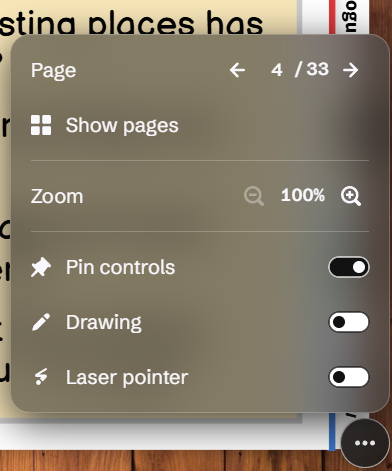
OMG this week my Genially navigation tools layout has changed to something absolutely awful. Teachers are really struggling to navigate in lessons because the buttons keep auto-hiding themselves or covering content, and things like the annotation tool are buried in the settings. (Yes, I know they can pin controls etc, but it's not very user friendly, and also doesn't work properly on mobile or using screen reader technology). How do we change back to the previous layout???
Share your feedback
Revert to old layout please!!!!
OMG this week my Genially navigation tools layout has changed to something absolutely awful.
Teachers are really struggling to navigate in lessons because the buttons keep auto-hiding themselves or covering content, and things like the annotation tool are buried in the settings.
(Yes, I know they can pin controls etc, but it's not very user friendly, and also doesn't work properly on mobile or using screen reader technology).
How do we change back to the previous layout???
Did this help you?
No comments yet
Be the first to share your thoughts on this post.